
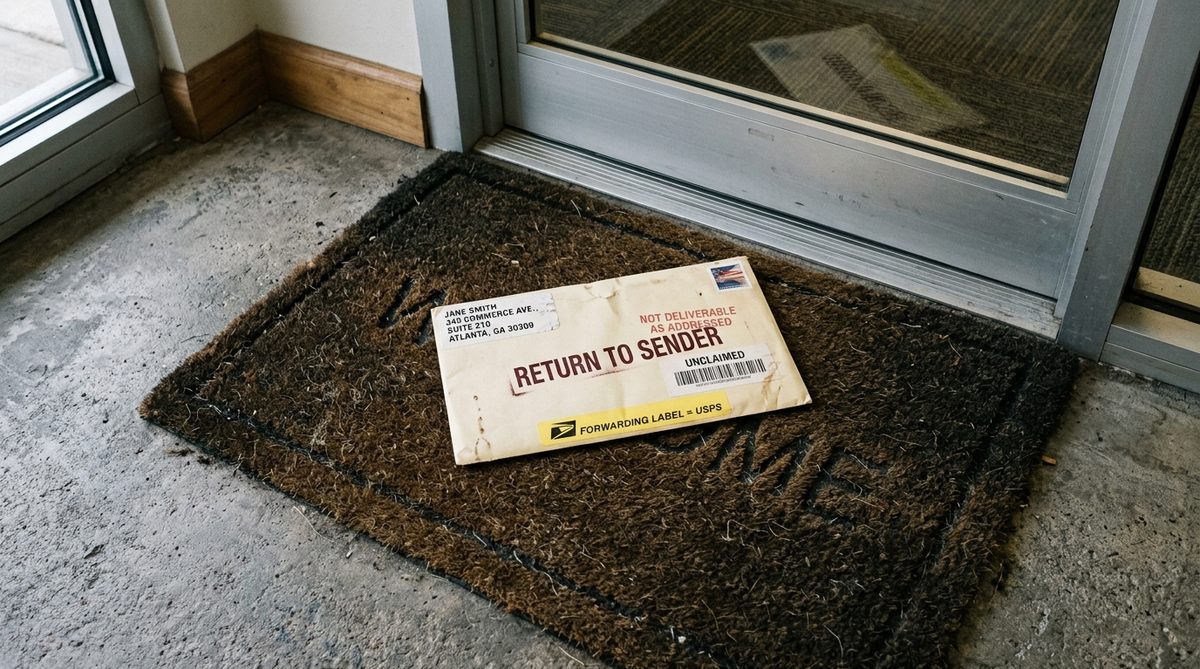
Email deliverability failures are frustrating precisely because they are invisible. Your platform reports the message as “delivered.” Your open rate quietly drops. Nobody replies. There is no bounce, no error, no obvious signal — just a slow erosion of results while you assume the problem is your copy or your offer. In reality, a growing share of your emails are being filed into spam or soft-blocked before a human ever sees them.
For a B2B business, this is expensive in a way that is hard to notice. The onboarding sequence that used to convert stops working. The quote follow-up never arrives. The prospect who asked you to “send more info” never got the info and assumes you dropped the ball. None of it shows up as a red number on a dashboard.
This is a field guide for when deliverability has gone wrong — a diagnostic sequence to run in order, from the checks that fix the most problems to the ones that catch the rare edge cases. Work through it top to bottom rather than guessing.
Start With Authentication — The Cause of Most Sudden Failures
If deliverability dropped suddenly, check authentication first.
The single most common cause of a B2B sender landing in spam is broken or missing email authentication. Three records govern this, and all three need to be correct:
- SPF (Sender Policy Framework) — a DNS record listing which servers are allowed to send email for your domain. If you switched email platforms and forgot to update it, every send now fails SPF.
- DKIM (DomainKeys Identified Mail) — a cryptographic signature on each message, verified against a public key in your DNS. A missing or mismatched DKIM key is invisible to you and glaring to Gmail.
- DMARC — a policy record telling receiving servers what to do when SPF or DKIM fails, and where to send reports. Since the 2024 sender requirements, this is effectively mandatory for bulk senders.
Run a quick check:
- Use a public tool like MXToolbox to look up your SPF, DKIM, and DMARC records and confirm they exist and point to your current sending platform.
- Send a test message to a Gmail address, open it, and use “Show original” — Gmail explicitly reports PASS or FAIL for SPF, DKIM, and DMARC on every message. Three PASS lines is what you want.
Google’s bulk sender guidelines spell out the current requirements, and they are strict for any domain sending meaningful volume. If any of the three fails, fix it before investigating anything else — because no amount of good content survives a domain that cannot prove it authorised its own mail. The setup mechanics are covered in detail in our Brevo B2B setup guide.
Check Sender Reputation — The Slow-Burn Cause
Reputation degrades quietly and takes weeks to rebuild.
Even with perfect authentication, receiving servers score you on your domain and IP reputation — a running assessment of how recipients react to your mail. A few bad habits tank it:
- Spam complaints. When recipients hit “mark as spam,” it counts against you directly. A complaint rate above roughly 0.1% is a warning sign; above 0.3% and mailbox providers start routing you to spam by default.
- Spam-trap hits. Sending to an address that is a known trap (an abandoned mailbox reactivated as a trap, or a syntactically valid but never-real address) is a strong negative signal and suggests you bought or scraped a list.
- Sending pattern. A sudden spike — going from 50 emails a week to 5,000 in one blast — looks like a compromised account. New sending domains need to warm up gradually.
To assess where you stand:
- Check your platform’s built-in reputation or complaint metrics. Most (Brevo, Mailchimp, and others) surface complaint and bounce rates directly.
- Use Google Postmaster Tools to see your domain reputation as Gmail specifically scores it — one of the few windows into how a major provider actually rates you.
If reputation is the problem, there is no instant fix. You rebuild it by sending consistently to engaged recipients, removing the disengaged, and keeping complaints near zero for several weeks. Reputation recovers at the speed it was damaged, sometimes slower.
Audit List Quality — You Are Judged by Who You Send To
A dirty list poisons deliverability for your clean contacts too.
Deliverability is partly a function of list hygiene. Sending to dead, wrong, or uninterested addresses damages the placement of every other email you send, including the ones people actually want.
Work through the list:
- Remove hard bounces immediately. An address that returns a permanent failure should never be mailed again. Continuing to send to it is a clear negative signal.
- Verify before large sends. Run new or old lists through a validation service (NeverBounce, ZeroBounce, and similar) to strip invalid and risky addresses. Keep hard bounces under about 2% per campaign.
- Suppress the long-term unengaged. Contacts who have not opened anything in six to twelve months are dead weight. Either run one careful re-engagement attempt or move them out of your active sends. Mailing people who ignore you teaches providers your mail is unwanted.
- Honour unsubscribes instantly. A one-click unsubscribe that actually works is now an expectation, not a courtesy, and failing it generates complaints.
The uncomfortable truth: a smaller list of engaged contacts outperforms a large list padded with dead addresses, both in raw results and in protecting your ability to reach anyone at all. Quality of list is quality of deliverability.
Inspect Content and Formatting — The Underrated Layer
Some messages get filtered on content alone.
Once authentication, reputation, and list are sound, content is the next suspect. Spam filters read the message itself, and certain patterns trip them:
- Spammy subject lines — ALL CAPS, excessive punctuation, and trigger phrases like “FREE,” “ACT NOW,” “LIMITED TIME,” “100% guaranteed.” Write subjects the way you would to a colleague.
- Image-heavy, text-light emails. A message that is one big image with almost no text looks like classic spam. Keep a healthy ratio of real text to images.
- Link problems. Shortened URLs (bit.ly and similar), links whose visible text does not match the destination, or links to domains with poor reputation all raise flags. Link to your own clean domain where possible.
- Missing required elements. Commercial email must include a physical postal address and a working unsubscribe link. Their absence is both a compliance failure and a spam signal.
Test content before it goes out:
- Send the exact message to Mail Tester and read the score out of 10 — it flags specific content issues line by line, not just a pass/fail.
- Preview across Gmail, Outlook, and a mobile client. Rendering that breaks on Outlook is common and looks unprofessional even when it does deliver.
Build a Monitoring Habit So It Never Silently Breaks Again
The goal is to catch degradation before it costs you deals.
Because deliverability fails silently, the only defence is measuring it continuously rather than discovering it months later. Set up a light routine:
- Watch the leading indicators weekly — bounce rate, complaint rate, and open rate trend. A steady decline in opens with no change in your content is the classic early symptom of a placement problem.
- Keep a seed test — send each new campaign type to a handful of your own addresses across Gmail, Outlook, and one corporate domain, and confirm it lands in the inbox, not spam.
- Review DMARC reports periodically. They reveal whether anyone is spoofing your domain — which, if unaddressed, wrecks your reputation through no fault of your own content.
Deliverability is not a one-time setup. It is a running system that needs the same maintenance attention as any other operational process, and it connects directly to the results of every automated sequence you run. If your email automation for distributors has quietly stopped producing results, deliverability is the first place to look, not the copy.
Deliverability problems feel mysterious only because the failure is silent. Diagnosed in order, they are almost always one of four things: broken authentication, damaged reputation, a dirty list, or content that trips filters. Work the checklist top to bottom — authentication first, because it fixes the most and the fastest — and you will find the cause in most cases within an afternoon.
The senders who reliably reach inboxes are not doing anything clever. They authenticate properly, keep their list clean, send content that reads like a human wrote it, and watch the numbers weekly so a slow decline never becomes a silent catastrophe. Make those four things routine and deliverability stops being a recurring emergency.
Sources: Google bulk sender guidelines · Google Postmaster Tools