
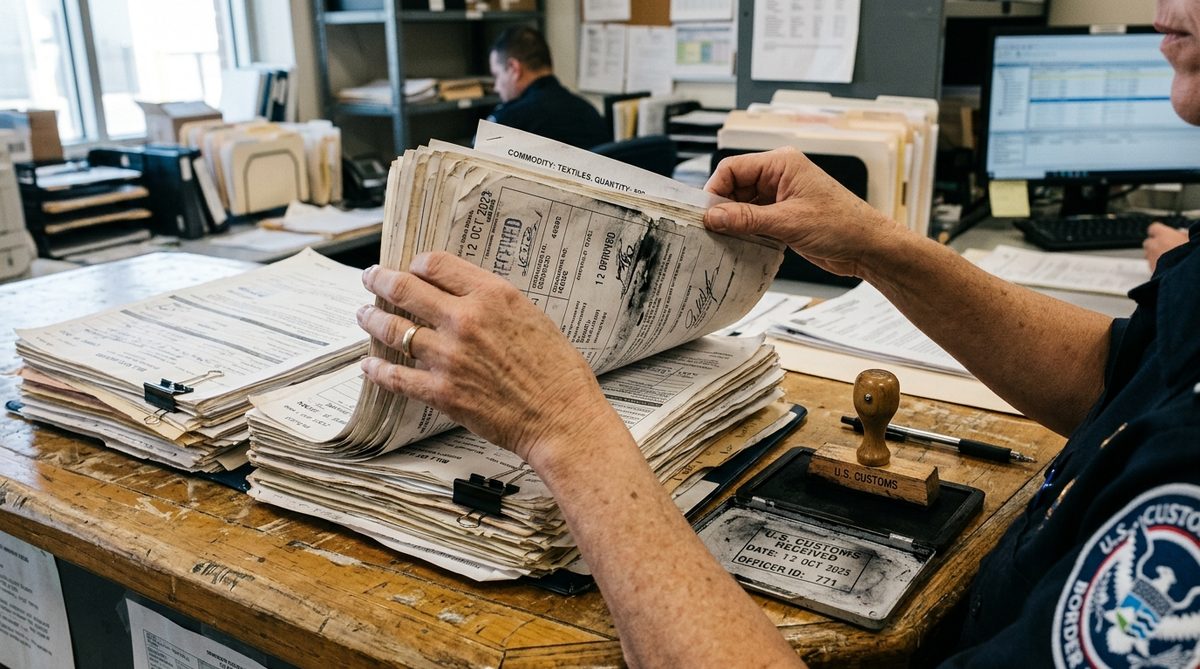
A single container shipment from a supplier in Asia to a warehouse in Germany generates somewhere between eight and twenty documents. Commercial invoice, packing list, bill of lading, certificate of origin, insurance certificate, customs declaration, delivery note, freight invoice — plus whatever the specific product category demands. Every one of them contains data that someone in your office retypes into a system.
That retyping is not a minor inefficiency. For a small importer doing 200 shipments a year, it is somewhere in the region of a full-time job, performed by someone who is over-qualified for it, at an error rate that nobody measures but everyone has been burned by. A transposed HS code becomes a customs correction. A misread quantity becomes a stock discrepancy that surfaces three weeks later as a short delivery to a customer.
AI document extraction is one of the few applications where the technology is genuinely ready, the payback is measurable, and the failure modes are containable. It is also an area where the demos are wildly misleading about what happens on real paperwork. This article covers what actually works, what breaks, and how to build the validation layer that determines whether this saves you time or generates a new category of expensive mistakes.
What Extraction Actually Does — and What It Cannot Do
The mechanic in one paragraph.
Modern extraction combines optical character recognition with a model that understands document layout and, increasingly, a language model that understands what the fields mean. You give it a PDF or a scan; it returns structured data — invoice number, supplier, line items, quantities, values, HS codes. The last generation needed you to draw boxes and define templates per supplier. The current generation largely does not, which is the change that makes this viable for small importers who receive documents in forty different formats from thirty different suppliers.
What it is genuinely good at:
- Reading printed text from a clean scan, at accuracy well above what a human achieves on the tenth document of the afternoon
- Finding the same logical field across wildly different layouts — invoice total, whatever it is called and wherever it sits
- Handling multi-page line-item tables, including tables that break across pages
- Structured output you can push straight into an ERP
Where it fails, reliably:
- Handwriting. Still bad. A handwritten amendment on a printed document is the single most common source of silent errors, because the model reads the printed value confidently and ignores the pen.
- Stamps and overlaps. A customs stamp across a number makes that number a guess.
- Bad scans. Skewed, low-resolution, photographed-at-an-angle documents degrade accuracy sharply. Phone photos of documents are the norm in a lot of trade and they are the worst input.
- Meaning versus text. It reads “Net Weight: 1,240” correctly and has no view on whether 1,240 kg is plausible for a pallet of what you ordered. It extracts. It does not sanity-check.
- Ambiguous fields. Which of the three dates on this document is the shipment date? Which of two companies is the shipper and which is the consignee? Models get this right most of the time and wrong in ways that look right.
The number that matters is not accuracy. Vendors quote field-level accuracy — 95%, 98%. A commercial invoice has perhaps 40 extractable fields. At 98% field accuracy, roughly one document in two contains an error somewhere. What you need to know is not the average accuracy but which fields are wrong and whether you can tell. That is a validation problem, not a model problem.
Document by Document — Where to Start
Start with the commercial invoice.
Highest volume, most structured, most valuable data, and errors are catchable by arithmetic. It is the correct first target for almost every importer.
Fields to extract: invoice number, invoice date, supplier name and address, buyer, currency, Incoterms, per-line description, quantity, unit price, line total, invoice subtotal, tax, invoice total, payment terms.
Then the packing list.
Structurally simple, and it cross-checks the invoice. If the packing list says 40 cartons and the invoice says 400 units at 10 per carton, both are probably right. If they disagree, you have found a real discrepancy before the container arrives — which is the entire point.
Then the bill of lading.
Harder. Layouts vary, carriers use their own conventions, and the document often arrives as a poor scan. Extract selectively: B/L number, vessel, ports of loading and discharge, container numbers, gross weight, number of packages. Do not try to extract the full clause text.
Certificates of origin and customs documents last, and cautiously.
These carry legal weight. An error in a preferential origin claim is not an admin problem, it is a compliance problem with financial consequences. Extract them to pre-fill and speed up review, never to auto-file. The EU’s customs and taxation portal is the reference for what these documents must contain, and the WCO Harmonized System governs the classification codes on them. Neither of those is something a model should be trusted to interpret unsupervised.
The Validation Layer — This Is the Whole Project
Extraction without validation is a machine for producing confident wrong data faster.
The genuinely important engineering here is not the model. It is the rules that sit between extraction and your system. Build them in three tiers.
Tier 1 — Arithmetic checks. Cheap and catch a surprising amount.
- Sum of line totals equals the invoice subtotal
- Subtotal plus tax equals total
- Quantity times unit price equals line total, per line
- Sum of carton weights equals stated gross weight, within tolerance
Any of these failing means an extraction error or a supplier error. Both need a human. Neither should reach your ERP.
Tier 2 — Cross-document checks.
- Invoice quantities match packing list quantities
- Bill of lading container count matches packing list
- Invoice number on the freight document matches the invoice
- Supplier on the invoice matches the supplier on the purchase order
Tier 3 — Plausibility checks against your own history.
This is the tier that separates a real system from a demo:
- Unit price is within a set percentage band of the last price you paid this supplier for this item
- Quantity is within a band of typical order size for this SKU
- HS code matches the code you have used for this SKU before
- Currency matches the contract currency for this supplier
- Total is within a band of the purchase order value
A price that comes back 10x the usual is almost always a decimal error in extraction. Your history knows that. The model does not.
The routing rule. Every document lands in one of three states:
- Clean: all checks pass, post automatically, log it
- Flagged: one or more checks fail, route to a human with the specific failure highlighted
- Rejected: document quality too poor or too many failures, request a better copy
Do not build a system where a human reviews everything — you have then automated nothing and added a step. Do not build one where nothing is reviewed — you have automated your error rate. The value is entirely in the flagging being accurate enough that the clean pile is genuinely clean and the flagged pile is small.
Tooling and What It Costs
The three realistic options for a small company:
- A general document AI platform. Google Document AI, AWS Textract, or Azure AI Document Intelligence all ship pre-trained invoice models and charge per page. For a few hundred documents a month this is tens of euros, not thousands. You write the validation layer.
- A trade-specific vendor. More expensive per document, less integration work, and they have usually already built the cross-document checks. Worth it if you have no technical capacity at all.
- A general-purpose language model with vision. Send the page image, ask for structured output. Surprisingly good on clean documents, genuinely bad at telling you when it is unsure, and it will invent a plausible value rather than return nothing. Usable, but only with the validation layer doing heavy lifting.
The cost that surprises people is not the extraction. It is the integration and the exception handling. Budget roughly: 20% of the effort on extraction, 30% on validation rules, 50% on getting the clean data into your existing system and handling the flagged pile properly. Anyone who tells you the ratio is the other way round has not shipped one of these.
Do not build this before you have a system to put the data into. If your process is “extract to a spreadsheet that someone retypes,” you have added a step. The value only appears when clean documents post without human touch. Our note on the minimum viable CRM for distributors makes the same point about sequencing: the destination has to exist first.
Measuring Whether It Worked
Four numbers, tracked from day one.
- Straight-through rate. Percentage of documents posted with zero human touch. This is the metric. Everything else is diagnostic. A realistic target after three months of rule tuning is 60–80% on commercial invoices.
- Escape rate. Errors that passed validation and reached your system. Sample 20 clean-posted documents a month and check them by hand. If the escape rate is above 1%, tighten the rules — do not blame the model.
- Time per document. Before and after, measured honestly, including the flagged pile.
- Flag precision. Of the documents flagged, what proportion had a real problem? If it is under 50%, your rules are too tight and you are training your team to click through warnings — which is worse than no warnings.
That last one is the failure mode that kills these projects. A system that flags everything gets ignored, and an ignored flag is more dangerous than no flag, because it manufactures the appearance of a control that is not operating. The general pattern of AI deployment failure in B2B operations is almost always this: the technology works and the process around it does not.
The reason document extraction is worth doing before most other AI projects is that the value is unambiguous and the ceiling is visible. You are not hoping for a lift in a fuzzy metric. You are removing a defined number of hours of retyping and a defined number of errors, and you can count both in the first month.
The reason it goes wrong is that people buy the extraction and skip the validation, because the extraction is the part with a demo and the validation is the part that requires knowing your own business. The arithmetic checks take an afternoon. The plausibility checks require somebody to sit down and say what a normal invoice from this supplier looks like. That afternoon is where the whole return lives — and it is why the version you build for yourself will beat the one you buy.
Sources: WCO — Harmonized System · European Commission — Taxation and Customs Union · Google Cloud Document AI documentation